Invoice date, due date, amount, delivery status, acknowledgement, question, dispute, promise, processing, settlement, or cancellation.
Free Excel and Google Sheets tracker - no email gate
Know what needs action without calling an open invoice revenue.
Download a practical USD invoice follow-up tracker for delivery, permission, disputes, owners, next dates, provider-confirmed settlement, refunds, and reconciliation. The workbook organizes the work but sends nothing and moves no money.
22,412-byte .xlsx file. No account, form, cookie, email signup, macro, external connection, payment, or automatic message.
Revenue boundary built in. Issued, open, promised, pending, and processing invoices remain operational states. Only provider-confirmed settled USD less confirmed refunds belongs in a verified revenue total, after reconciliation against the provider statement.
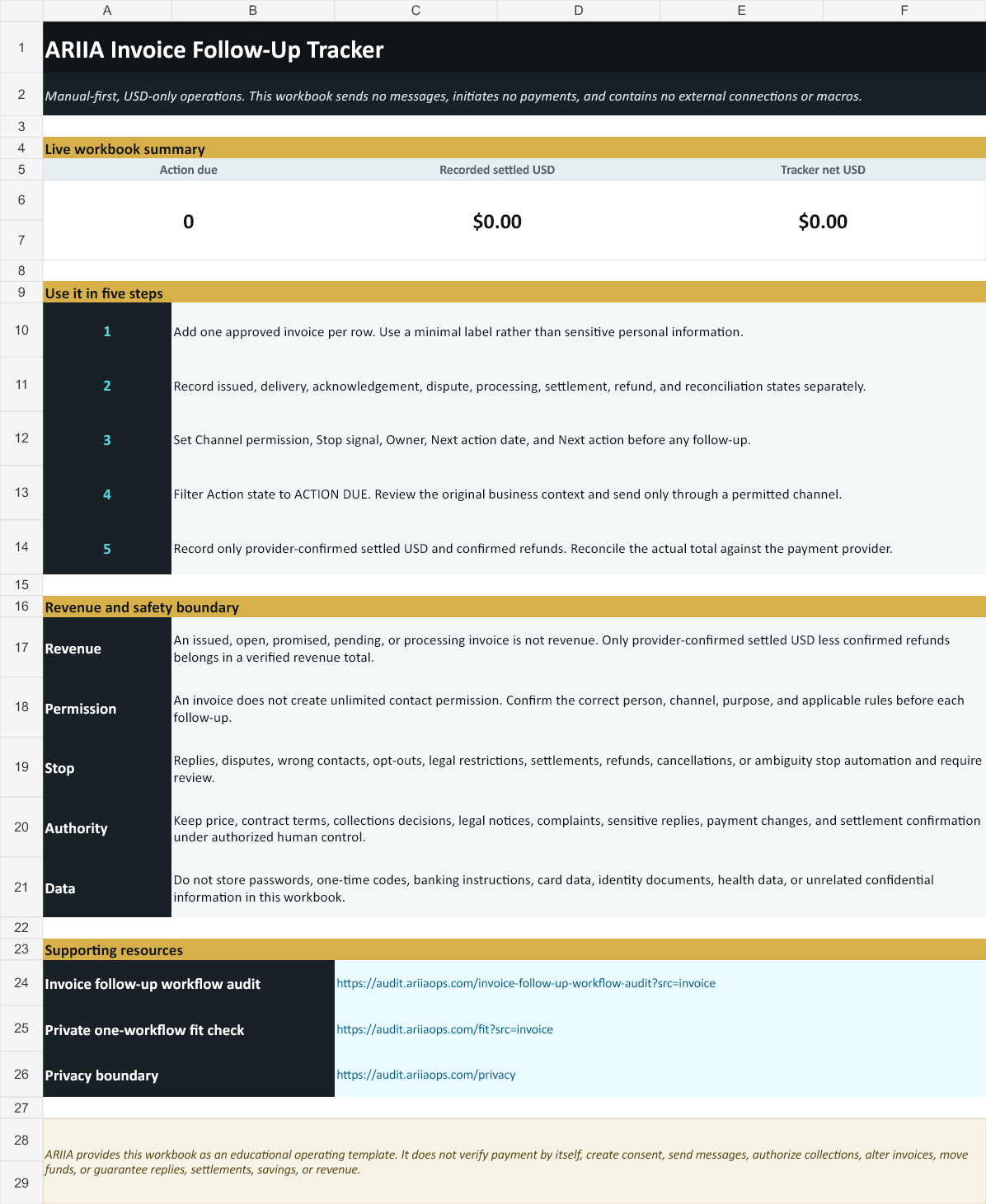
One row separates the states that usually get blurred.
The tracker keeps invoice progress, contact permission, and provider settlement in distinct columns so a promise or processing notification cannot silently become reported revenue.
Owner, last review, next action date, next action, channel permission, stop signal, and a formula-driven action state.
Provider settlement status, provider-settled USD, confirmed refund USD, tracker net USD, and a minimal reconciliation note.
Use the tracker in five minutes.
- Download the workbook and open it in Excel or import it into Google Sheets.
- Add one approved invoice per row. Use a minimal business label and never paste credentials, banking instructions, card data, identity documents, or unrelated confidential information.
- Record delivery, channel permission, invoice status, owner, next action date, next action, and any stop signal.
- Filter Action state to ACTION DUE. Review the original business context before any permitted follow-up.
- Record settlement only after provider confirmation, subtract confirmed refunds, and reconcile the final total against the payment provider.
Automation should surface the next decision, not make a collections decision.
The workbook can safely help you
- keep an owner and next date visible;
- separate delivery, dispute, processing, and settlement;
- record permission and stop signals;
- prepare a focused action list; and
- reconcile recorded settlement and refunds.
Keep these actions authorized and human-controlled
- price, contract terms, and invoice changes;
- collections decisions or legal notices;
- complaints, disputes, and sensitive replies;
- contact after an opt-out, wrong contact, or restriction; and
- payment instructions, settlement confirmation, and refunds.
Never invent a deadline, late fee, legal consequence, payment failure, settlement, customer statement, or authority. A reply, dispute, wrong contact, opt-out, restriction, settlement, refund, cancellation, or ambiguity stops automation and routes the case for review.
Download the workbook, then inspect one real handoff.
The tracker includes 100 editable rows, live summary formulas, dropdowns, conditional action states, a Quick Start sheet, a reference sheet, and direct links to ARIIA's public workflow resources.
Educational operating template. No reply, settlement, savings, collection, or revenue outcome is guaranteed.
Invoice tracker questions.
Does the tracker send invoice reminders?
No. It has no messaging connection, script, macro, automation, payment action, or external data connection. It organizes reviewed next actions only.
Does it work in Google Sheets?
Yes. Download the .xlsx file and import it into Google Sheets. Verify dropdowns, date formats, and formulas after import because spreadsheet applications can render formatting differently.
Is an open or processing invoice revenue?
No. The tracker treats issued, open, promised, pending, and processing invoices as operational states. Only provider-confirmed settled USD less confirmed refunds belongs in a verified total after reconciliation.
What should stop invoice follow-up automation?
At minimum: replies, disputes, wrong contacts, opt-outs, legal restrictions, settlements, refunds, cancellations, complaints, sensitive cases, and ambiguity. The case should route to an authorized person.
What does the paid ARIIA audit include?
The separate USD $497 AI Operations Audit covers one agreed workflow, its as-is handoff map, one priority blueprint, measures, and a 30-day action plan. Implementation is separate, scope and timing are confirmed before payment, and no response, conversion, savings, or revenue outcome is guaranteed.
When the tracker exposes a recurring handoff problem.
The free scorecard stays in your browser. A fit request is transmitted only after explicit contact consent and a separate final action; it creates no invoice, purchase, subscription, or payment request.